Independent · Product Designer and Engineer · Ongoing
Designing routines that can adapt to real life
Dayflow explores one idea: a visual, shared routine is more useful than a rigid checklist when the day changes. People build a routine from shaped blocks, edit it together live, ask an assistant for small changes, and export it as a Markdown guide.
At a glance
- Block types
- 6
- Assistant actions
- 7
- Automated tests
- 151
- Foundation
- A collaborative-canvas tutorial
- Scope
- Visual editing, collaboration, permissions, saving, AI, and guides
- Key technologies
- Next.js, TypeScript, React Flow, Liveblocks
- The challenge
- Make routines visible and adaptable, while keeping shared editing, saves, permissions, and AI changes in bounds.
- My contribution
- Turned a canvas tutorial into a routine planner: interaction model, server-checked access, persistence, assistant, guides, and tests.
- Outcome
- A working product exploration with realtime collaboration, durable saves, structured assistant actions, and Markdown guides.
Problem
A routine that can change without becoming a failure.
Step 1 of 4
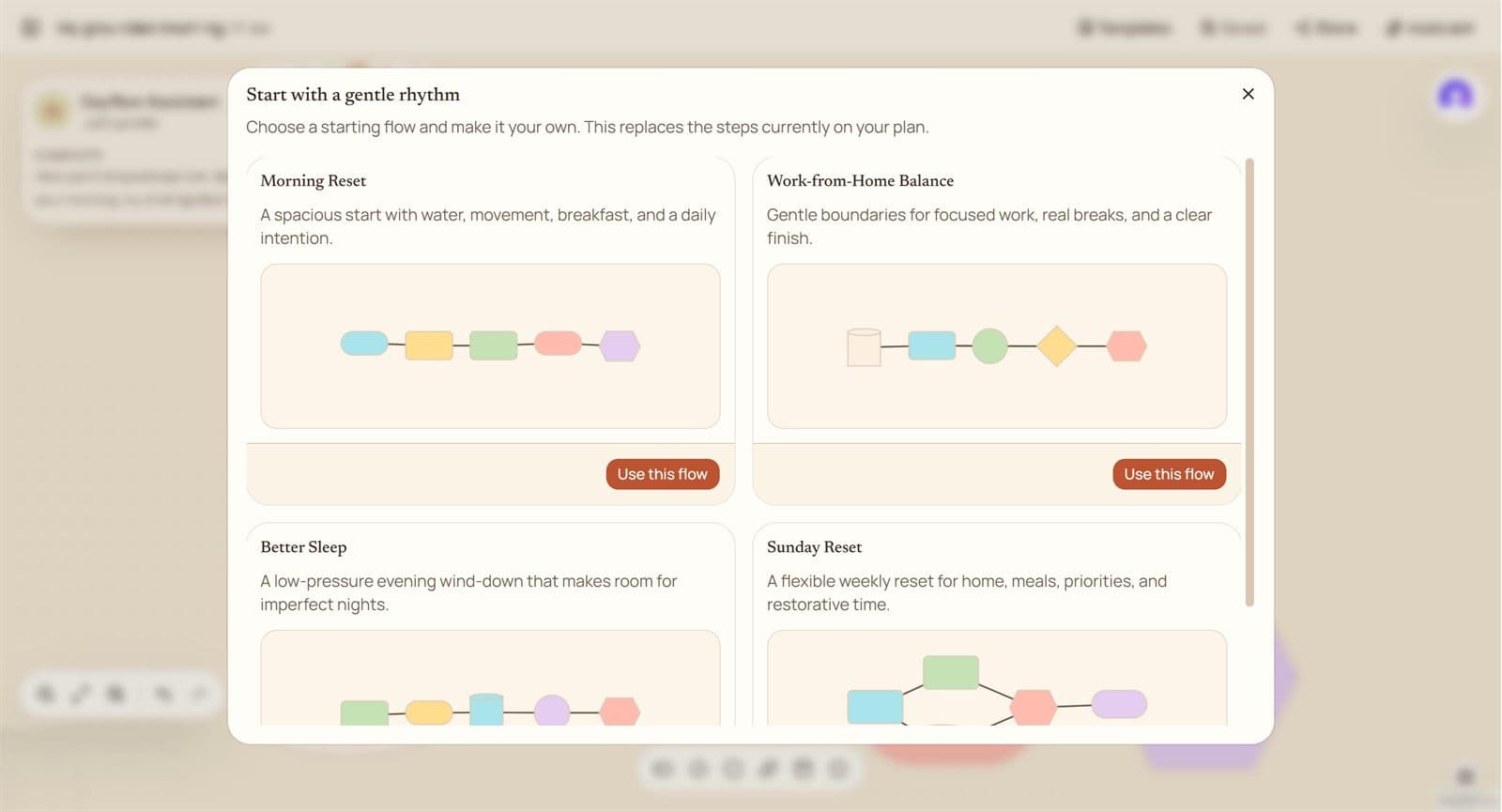
Start from a rhythm
Choose a template, or begin with an empty routine.
Step 2 of 4
Arrange the day
Shaped blocks show order, options, pauses, and preparation.
Step 3 of 4
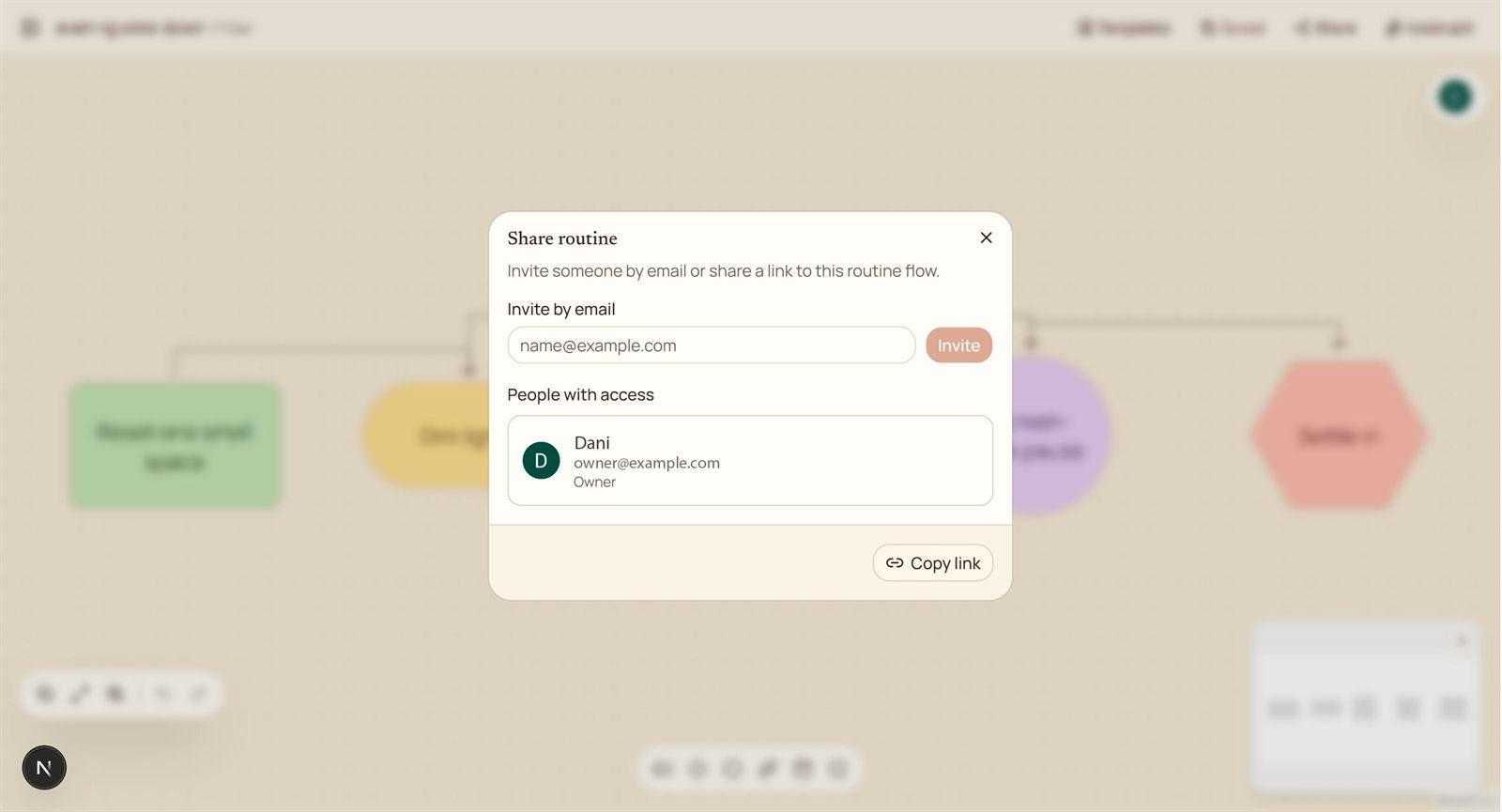
Share with a boundary
An owner invites a collaborator. The server decides what each person can do.
Step 4 of 4
Adapt, then carry it
The assistant suggests small changes. A guide turns the saved routine into Markdown.
Routine advice tends to be scattered across notes and messages, and most task tools treat any change to the plan as a failure. Dayflow makes the rhythm of a day visible, leaves room for it to change, and lets people shape it together.
This is an independent project. The idea draws on common planning habits and has not been validated by clinical or behavioral research.
Contribution
What I designed and built
- The product concept, interaction design, and visual direction.
- Six block types: activity, choice, pause, habit, preparation, and milestone.
- Owner and collaborator permissions, checked on the server.
- Autosave, and restoring a saved routine into an empty session.
- An assistant limited to small, checked changes, and Markdown guides.
- The test strategy, accessibility checks, and privacy-aware monitoring.
Built with
Starting point
Solution
Six decisions shape the product: how a routine looks, where its data lives, who can edit it, how it saves, what the assistant may change, and how it leaves the app as a guide.
Make the rhythm visible
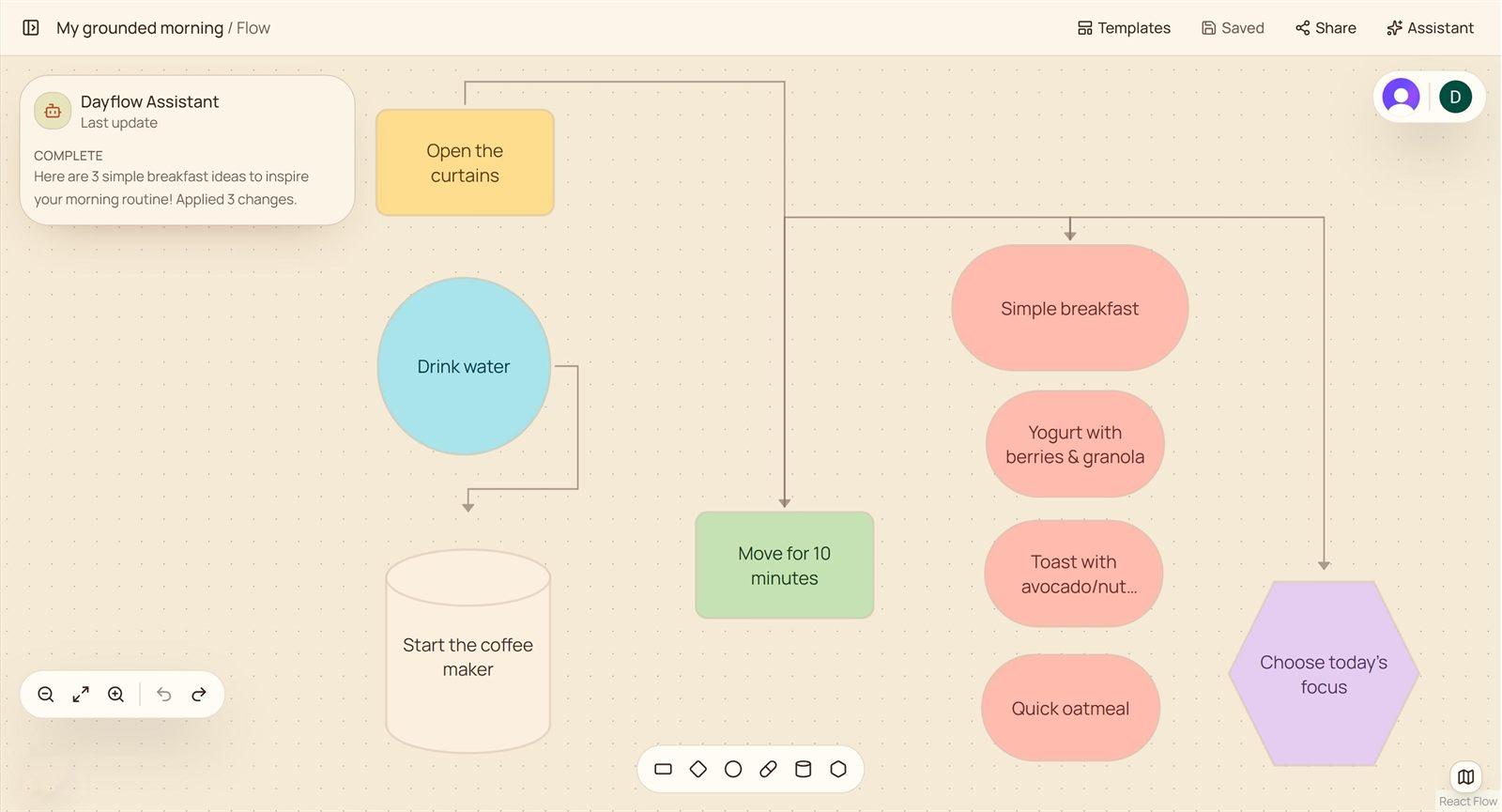
Each kind of step has its own shape, so order, options, and preparation read at a glance.
People can edit labels in place, resize and connect blocks, color them, use the keyboard, start from a template, and undo. The controls sit at the edge of the canvas, so the routine stays the thing being read.
Block types
Activity
A step in the routine, drawn as a rectangle.
Choice
An alternative, drawn as a diamond.
Pause
A break, drawn as a circle.
Habit
A repeated step, drawn as a pill.
Preparation
Setup for a later step, drawn as a cylinder.
Milestone
A point the routine is moving toward, drawn as a hexagon.
Give live collaboration and saved data different jobs
A live editing session and a saved routine are different things, so each lives in the service suited to it.
Liveblocks
The live session: the routine being edited, who is here, their cursors, assistant status, and undo.
PostgreSQL
Routines, owners, collaborators, permissions, and guide records.
Vercel Blob
The saved copy of each routine, and its generated guides. Files reach the browser through the app, never as public links.
Trigger.dev
Assistant and guide jobs that keep running after the browser request ends.
Enforce permission boundaries on the server
Hiding a button is not the authorization strategy. Every route checks who is signed in before it reads or changes a routine, and live editing access is granted only after that check.
Access
Signed out
No access to any routine, and no live session.
Owner
Edits the routine, renames or deletes it, and invites people.
Collaborator
Edits the shared routine. Inviting and deleting stay with the owner.
Not invited
Signed in but not invited, so refused everywhere, including the assistant.
Save automatically, and keep restore simple
Edits save after 1.5 seconds without changes. If a save fails, Dayflow says so instead of acting as if it worked.
Autosave
Writes the current blocks and connections to the saved copy.
Restore
Loads the saved copy only when the live session starts with no blocks. It never merges into one that already has some.
Undo
Undo and redo cover the current session. They are not saved versions.
Limit the assistant to changes people can follow
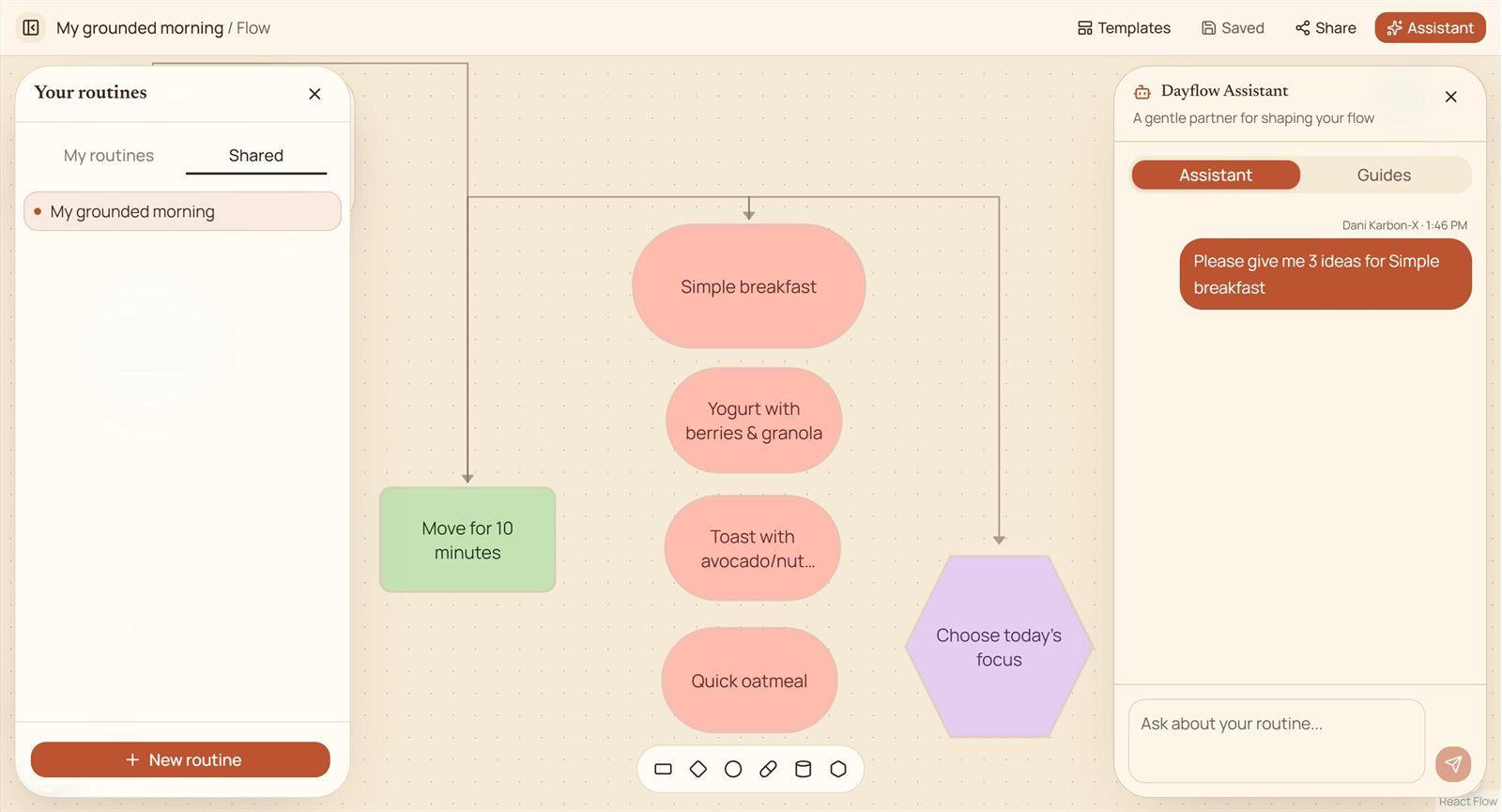
The assistant doesn't rewrite the routine. It returns a short plan of small, specific changes. Each one is checked before it is applied, and anything invalid is skipped.
What the assistant can do
Add a block
With a label, one of the six shapes, a color, and a position.
add_nodeMove a block
Change where an existing block sits.
move_nodeResize a block
Down to a minimum size.
resize_nodeEdit a block
Change its label, shape, or color.
update_node_dataDelete a block
Remove one block.
delete_nodeConnect two blocks
Both must already exist. The connection can have a label.
add_edgeRemove a connection
Remove one connection.
delete_edge
The assistant's status and chat are shared, so everyone in the routine can see what it is doing.
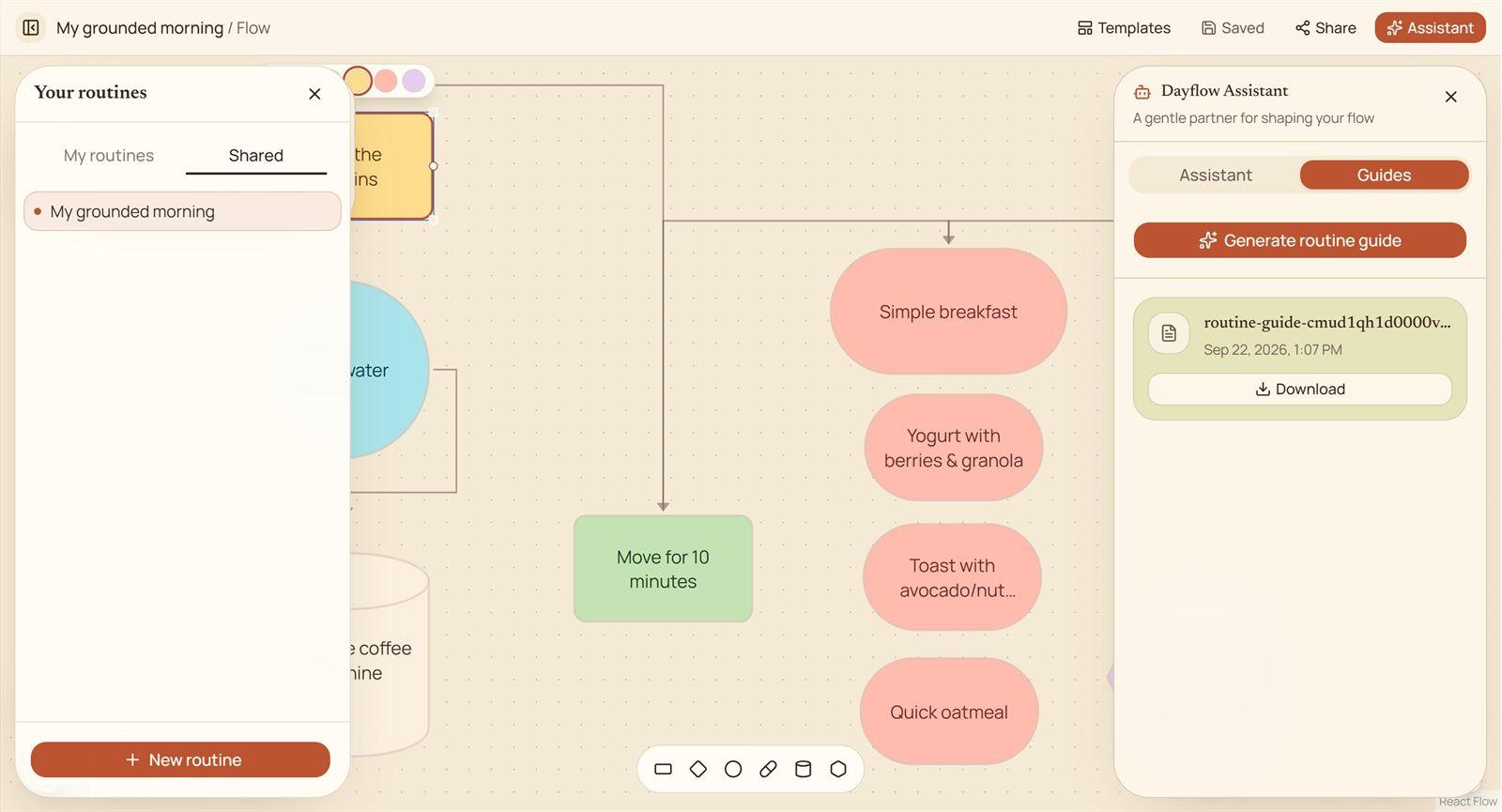
Turn the saved routine into a guide someone can carry
Dayflow writes a Markdown guide from the saved routine and keeps it in private storage. Preview and download go through signed-in routes, so there is no public file link.
Quality
The risky part isn't whether a block appears. It is whether an uninvited person is refused, whether an invalid assistant change is skipped, and whether a saved routine comes back.
151 Vitest tests across 29 files pass, as of October 30, 2026.
- Authorization
- Tests for the assistant-change checks and route permissions, covering signed-out people, owners, collaborators, and people who weren't invited.
- Browser journeys
- Browser tests for saving and reloading a routine, collaborator access, and accessibility.
- Continuous integration
- Lint, type checking, test coverage, and the production build.
Constraints
- Assistant changes are applied without a before-and-after approval step.
- There is no version history and no offline editing.
- Guides use the last saved routine, not unsaved edits, and don't yet draw on the assistant conversation.
- Browser tests run locally, not yet in continuous integration.
- There is no measured effect on health, habits, or behavior.
The main lesson was to keep what feels instant apart from what must be saved and protected. Next, I would add version history, an approval step for assistant changes, better keyboard editing, and browser tests in continuous integration. The most useful next evidence, though, is real use, not a longer feature list.
Next project
Karbon-X Platform
One climate-action platform for five audiences, released audience by audience and carried into a 2026 redesign.
Have a role or a project in mind?
Email is the direct way to reach me.